


Admin tool in order to get custom reports. The objective of django-qbe is provide a assited and interactive way of making complex queries with no technical knowledge (or minimal) to get custom reports from the objects of Django models. Based on QBE proposal from IBM®, django-qbe is intended to remove the limitations of Django QuerySets objects and to use the whole expresive power of the subjacent SQL.
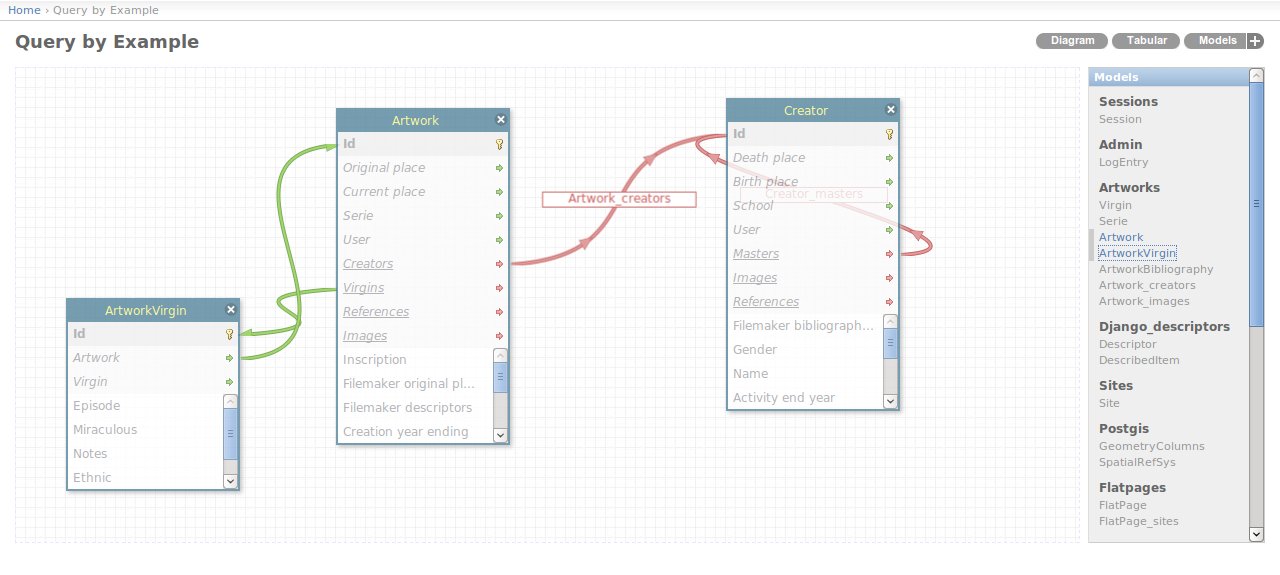
ForeignKey fields are green and ManyToMany ones are red).AND conditions by now).ForeignKey or ManyToMany fields are selected.syncdb. Diagram of models and relations.
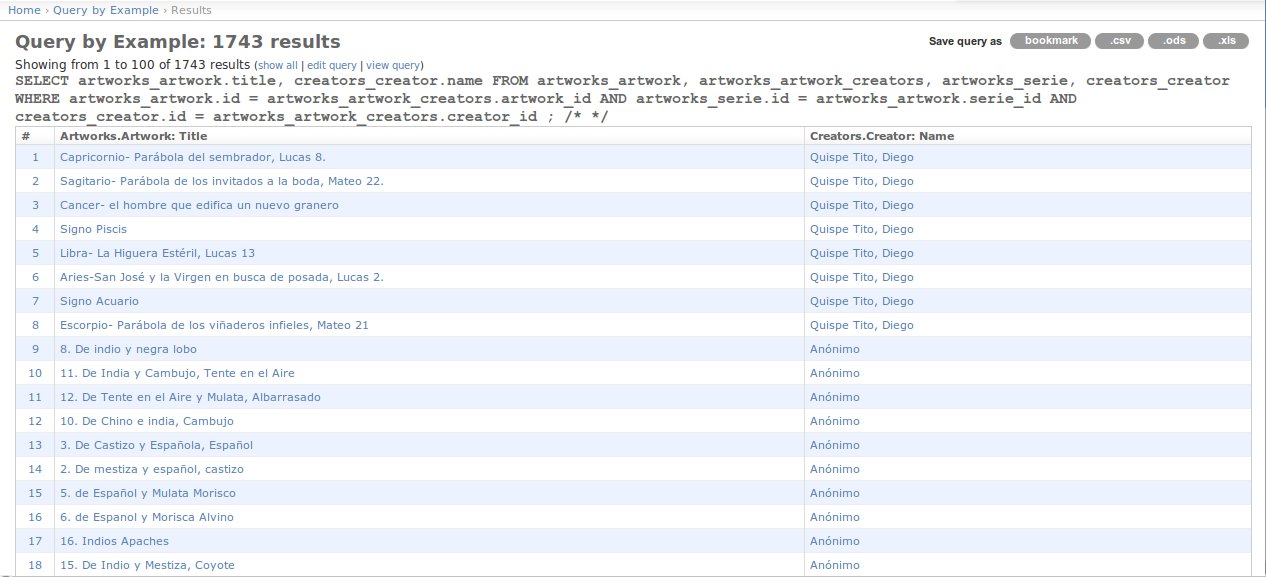
 Paginated results view.
Hopefully all in box.
Using the Python Package Index (PyPI_) and easy_install script:
$ easy_install django_qbe
Or through pip:
$ pip install django_qbe
But you also can download the django_qbe directory using git:
$ git clone git://github.com/versae/qbe.git
$ cp -r qbe/django_qbe /path/to/your/project
Adding to the project settings:
INSTALLED_APPS = (
    # [...] django builtins applications
    'django_qbe',
    # [...] Any other application
)
And adding the urlconf in your project urls.py:
# qbe
url(r'^qbe/', include('django_qbe.urls')),
You must not forgive link or copy the django_qbe/media/django_qbe directory in your project media directory:
$ ln -s django_qbe/media/django_qbe /path/to/your/project/media/
That's all. Then you can access to http://host:port/qbe However, you can add a link from your admin page changing the admin index template fo your AdminSite:
class AdminSite(admin.AdminSite):
    index_template = "qbe_index.html"
Or adding in your custom admin index template the next javascript:
<script type="text/javascript" src="{% url qbe_js %}"></script>
You can download this project in either zip or tar formats.
You can also clone the project with Git by running:
$ git clone git://github.com/versae/qbe
The next lines show de available settings and its default values.
Enable autocompletion tool (work in progress, not enabled yet):
QBE_AUTOCOMPLETE = True
Enable an Exhibit faceted navigation for results (not yet implemented):
QBE_EXHIBIT = False
Admin module name to add admin urls in results:
QBE_ADMIN = "admin"
Set your own admin site if it's different to usual django.contrib.admin.site:
QBE_ADMIN_SITE ="admin.admin_site"
Function to control to users with access to QBE:
QBE_ACCESS_FOR = lambda user: user.is_staff
Path to QBE formats export file, in order to add custom export formats:
QBE_FORMATS_EXPORT = "qbe_formats"
Free software distributted under the MIT license.
Javier de la Rosa (@versae) and other contributors
With the funding of Cultureplex, the Cultural Complexity Lab @ UWO.